
Download ClickyMouse – Productivity Tool, Utility, Automation, Keyboard Shortcuts, Macro Recording
Overview
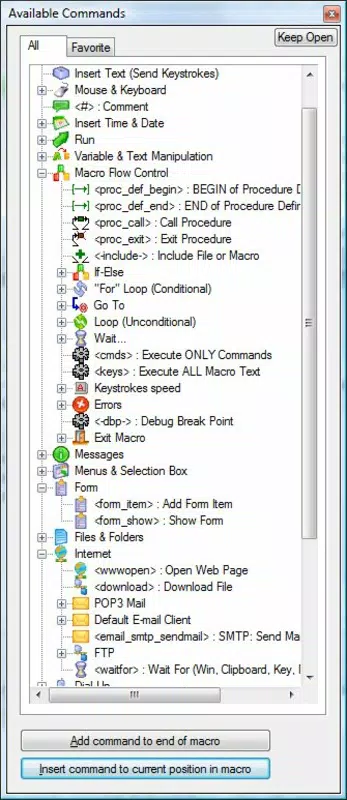
ClickyMouse is a productivity-enhancing software tool designed to automate routine computing tasks, helping users streamline workflows and reduce manual effort. With over 150 built-in commands, the application empowers individuals to create custom shortcuts and automate repetitive actions such as cut, copy, and paste operations. This makes it particularly useful for professionals, students, and power users who rely on consistent, efficient computer interactions. The app targets users seeking to optimize their daily digital tasks through automation, offering a practical solution for minimizing keystrokes and mouse movements.
Although the developer did not provide additional background details, ClickyMouse has been available since 2015, indicating a stable presence in the productivity software space. Its long-standing release date suggests a mature product with established functionality. Real-world use cases include automating data entry, simplifying software navigation, and customizing workflows in design, coding, or administrative environments. The inclusion of password protection highlights its suitability for secure, professional use, where sensitive operations must remain safeguarded. In the broader app ecosystem, ClickyMouse fills a niche for lightweight automation tools that operate directly on desktop systems, providing a valuable utility for users who prefer keyboard and mouse-based efficiency over complex scripting.
Key Features & Functionality
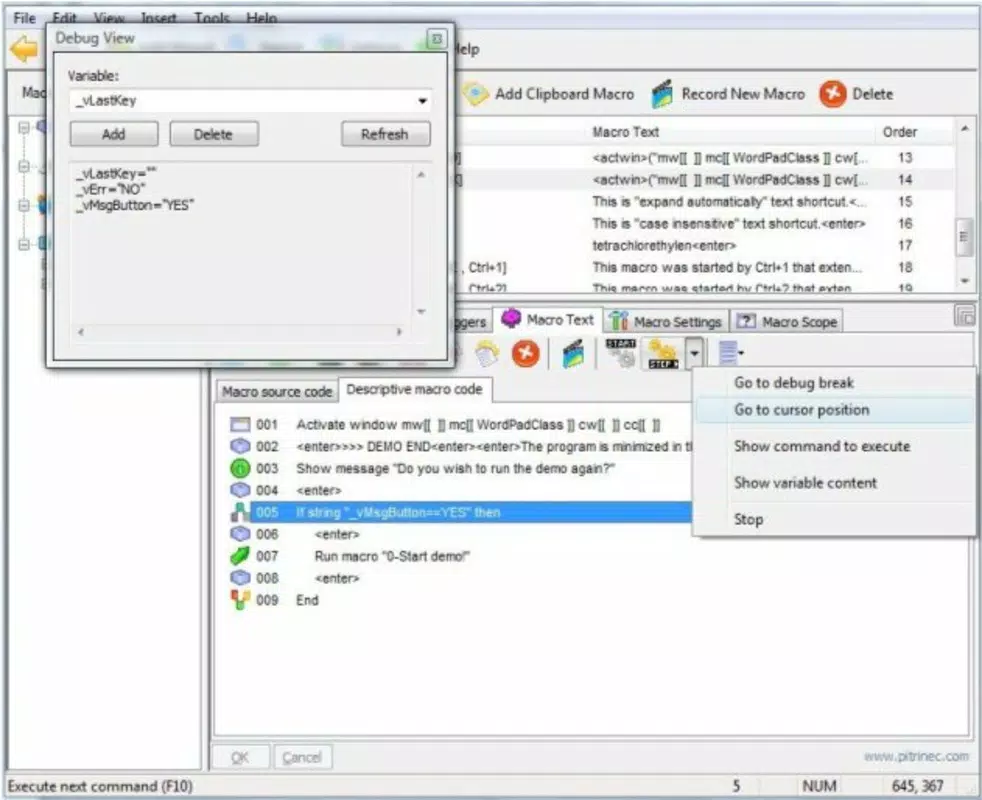
- Macro Recording: Users can record sequences of mouse and keyboard actions, such as opening applications, navigating menus, or performing repetitive edits. This feature enables automation of complex workflows with a single trigger, saving significant time on routine tasks.
- Custom Shortcuts: The application allows users to assign personalized keyboard shortcuts to any recorded macro or preset action. This flexibility supports tailored workflows, especially beneficial for users with specific software or task patterns.
- Password Protection: Sensitive macros can be secured with a password, preventing unauthorized access or modification. This ensures that critical automation scripts remain private and tamper-proof.
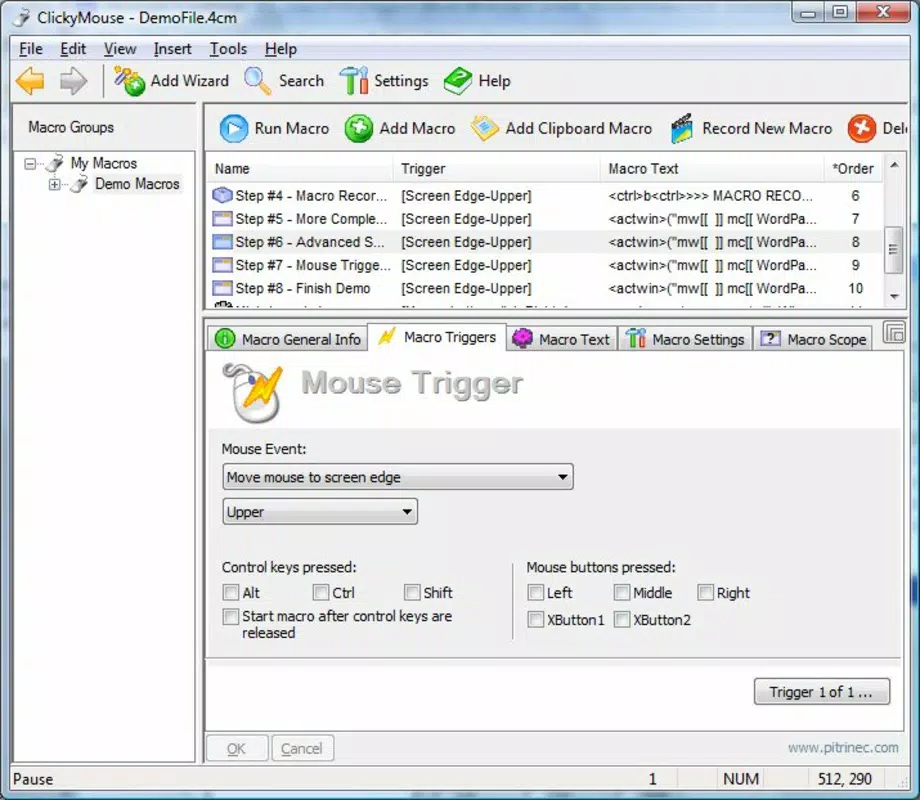
- Preset Actions: A selection of ready-to-use actions is included in the main interface, enabling quick setup without requiring initial configuration. These presets serve as a foundation for customization, helping new users get started immediately.
- Comprehensive Help Manual: A detailed guide is available online to assist users in understanding advanced features and troubleshooting complex setups. This resource supports both beginners and experienced users in maximizing the app’s potential.
For example, a data entry clerk might record a macro to fill out a form, then assign it to a keyboard shortcut. A designer could automate the process of resizing and exporting multiple images. These real-world applications demonstrate how ClickyMouse enhances efficiency across diverse professional and personal scenarios.
Interface, UX & Performance
ClickyMouse features a clean, functional interface focused on accessibility and ease of use. The main window displays preset actions and provides straightforward controls for recording, assigning, and managing macros. Navigation is intuitive, allowing users to quickly access recording tools, shortcut settings, and security options. The layout prioritizes functionality over visual flair, which aligns with its utility-driven purpose.
Although the developer did not list formal performance metrics, the application is designed to run efficiently in the background without significant system resource consumption. It maintains responsiveness across various device configurations, ensuring smooth operation during macro execution. Stability is supported by the inclusion of password protection and a structured help manual, reducing the likelihood of user error. The app appears optimized for consistent performance, particularly during repeated automation tasks. Users can expect reliable operation without frequent crashes or delays, making it suitable for daily use in both personal and professional environments.
Platform Compatibility & Technical Requirements
ClickyMouse is available for Windows operating systems. The application’s file size is not specified in the provided data, and no minimum OS requirements were listed. The software version and release date are known, with the latest version released on November 10, 2015. This indicates that the app has not received a recent update, which may affect compatibility with newer Windows versions or security standards.
Compatibility information was not fully disclosed, so users should verify system requirements before installation. The developer did not specify whether the app supports 32-bit or 64-bit systems, or any particular Windows version. While the app may function on modern Windows platforms, users should exercise caution and ensure their system is up to date. The lack of recent updates raises questions about long-term support and security patches, which could impact reliability over time.
Pros and Cons
Pros
- Over 150 built-in commands for diverse automation tasks
- Intuitive interface for creating and managing macros
- Supports custom keyboard shortcuts for rapid access
- Password protection enhances security for sensitive actions
- Includes preset actions for immediate usability
- Comprehensive help manual available online
Cons
- Latest release date was 2015, suggesting limited recent updates
- Platform and OS compatibility details were not fully disclosed
- File size and system requirements were not specified
- May not support newer Windows versions without verification
- No information on mobile or cross-platform availability
FAQ
Is ClickyMouse available for Android or iOS?
The developer did not provide information on mobile platform availability. The app is designed for desktop use, primarily targeting Windows systems.
Can I use ClickyMouse without creating macros?
Yes, the application includes preset actions that can be used immediately without recording custom macros.
How secure is the password protection feature?
ClickyMouse includes a password protection mechanism to secure recorded macros from unauthorized access or changes.
Do I need to install additional software to use ClickyMouse?
Based on the available information, ClickyMouse operates as a standalone utility. No external dependencies were mentioned.
Is ClickyMouse free to download and use?
The provided data does not specify pricing details. Users should consult the official source for current pricing and licensing terms.
Final Thoughts + CTA
ClickyMouse remains a practical tool for users seeking to automate routine computing tasks through macro recording and custom shortcuts. Its extensive command library, combined with built-in security and preset actions, makes it a solid choice for those who value efficiency and control. While the lack of recent updates and limited compatibility details raise concerns about long-term viability, the app’s core functionality continues to serve users in productivity-focused environments.
Individuals who frequently perform repetitive tasks—such as data entry, software testing, or content creation—will benefit most from its automation features. For professionals who rely on speed and consistency, ClickyMouse offers a reliable, lightweight solution. Despite its age, the app’s design and functionality remain relevant for desktop users looking to enhance their workflow.
Download ClickyMouse now


